WiFi 6E for Any Desktop.
Plug In. Done.
The clean 6 GHz WiFi 6E band — exclusive to modern devices, zero legacy interference — delivered to any desktop PC or laptop via USB 3.0. AXE3000 tri-band: 1202 Mbps on 6 GHz + 1202 Mbps on 5 GHz + 574 Mbps on 2.4 GHz. High-gain antennas with beamforming. WPA3. 1.2m cable. No PCIe slot required.

Your Desktop PC Deserves the Same
WiFi 6E Your Router Already Has.
Most desktop PCs don't have built-in WiFi — they rely on wired Ethernet or outdated WiFi adapters that predate WiFi 6E entirely. If you've upgraded your home network to a WiFi 6E router like the TP-Link AXE75, BE550, or any other WiFi 6E system, every device that accesses it via an older adapter is leaving significant speed and latency performance on the table. The Archer TXE50UH closes that gap in seconds — plug into any USB 3.0 port and the desktop PC immediately gains full WiFi 6E access including the clean, interference-free 6 GHz band.
The 6 GHz band is the defining feature of WiFi 6E and the reason the TXE50UH exists as a product category: it's a completely new wireless spectrum accessible only by WiFi 6E devices, with zero legacy device interference and up to seven non-overlapping 160 MHz channels. The TXE50UH's 1202 Mbps on 6 GHz + 1202 Mbps on 5 GHz + 574 Mbps on 2.4 GHz tri-band operation means the desktop PC gets its own clean-band connection while every other WiFi 5 and WiFi 6 device in the household uses the 5 GHz and 2.4 GHz bands without competition. MU-MIMO and OFDMA work together to maintain efficiency on congested networks.
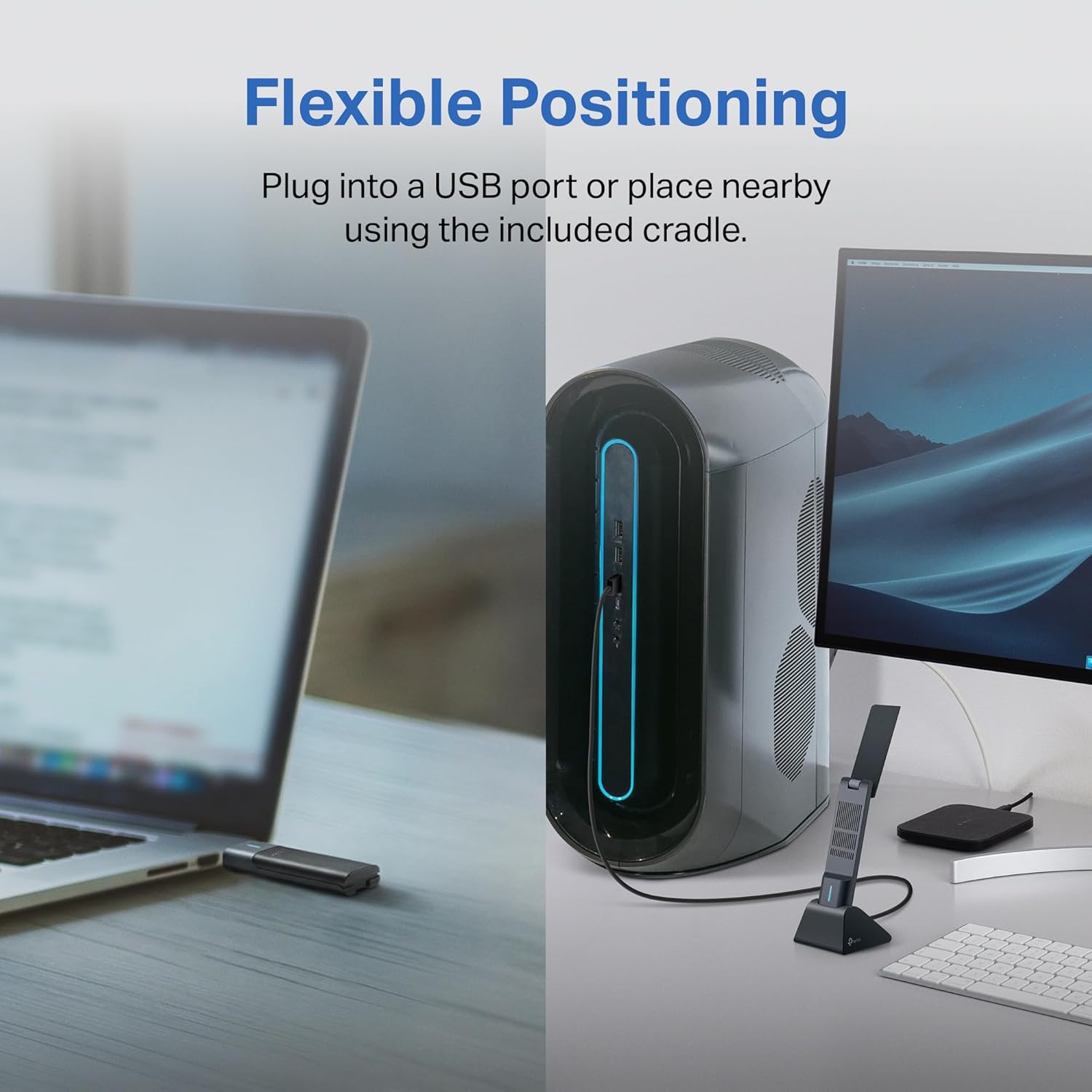
Key practical details: the 1.2-metre USB 3.0 cable allows the adapter to be positioned away from the desktop tower — important for antenna performance, as placing an adapter behind a metal case significantly degrades reception. The multi-angle adjustable high-gain antennas can be oriented for optimal signal direction. Plug-and-play setup with driver installation via included disk or TP-Link's website. Works with Windows 11 and Windows 10. Important: 6 GHz band access requires Windows 11 — on Windows 10, 5 GHz and 2.4 GHz bands remain available. WPA3 encryption for next-generation wireless security.
View on Amazon ↗Four Reasons This Is the Right
WiFi 6E Upgrade for Any Desktop.
The TXE50UH earns its place as the go-to WiFi 6E USB adapter because four specific design choices address the real-world problems of desktop wireless upgrades.
WiFi 6E · 6GHz Band — A Wireless Channel Only You Are Using
The 6 GHz band was opened exclusively for WiFi 6E — no WiFi 5, WiFi 4, or legacy devices can access it. Every neighbouring network, smart home device, Bluetooth gadget, and older device in your home or building operates on 2.4 GHz or 5 GHz. The 6 GHz band is completely clear. For a gaming PC or workstation where latency consistency matters more than raw speed, this clean-channel exclusivity is the most meaningful technical advantage: packet timing is consistent because the channel is never contested. The TXE50UH delivers 1202 Mbps on 6 GHz — more than enough for 4K streaming, competitive gaming, VR/AR, and large file transfers simultaneously. The 6 GHz band also provides up to seven non-overlapping 160 MHz channels, providing far more bandwidth capacity than the three or fewer non-overlapping channels on 5 GHz.
USB 3.0 + 1.2m Cable — No PCIe Slot, No Tool, No Case Opening
PCIe WiFi cards provide the best desktop wireless performance — but they require opening the case, installing the card in a PCIe slot, and running cables for the external antenna bracket. For many users — especially those with pre-built systems, warranty concerns, or no PCIe slots available — this is simply not an option. The TXE50UH connects to any USB 3.0 (USB-A) port with zero case modification. The USB 3.0 standard provides up to 5 Gbps of bus bandwidth — the wireless throughput of the TXE50UH's three bands combined doesn't saturate this, meaning the USB interface is not the performance bottleneck. The 1.2-metre cable is the critically important design feature: it allows positioning the adapter on top of the desk or in an elevated position, well away from the metal tower case that would attenuate signal. Adapters plugged directly into a rear case port have significantly degraded performance due to case shielding.
High-Gain Multi-Angle Antennas + Beamforming — Maximum Signal to Your Router
Standard wireless adapters use fixed omni-directional antennas that broadcast and receive equally in all directions — which means a significant portion of the antenna's energy is directed at walls, floors, and away from the router. The TXE50UH's multi-angle adjustable antennas allow physical orientation toward the router for maximum signal strength. Beamforming technology adds software-level signal directionality: the adapter analyses the signal from the router and focuses the transmission toward it rather than broadcasting uniformly. The combination of physically adjustable high-gain antennas and active beamforming produces measurably stronger, more stable signal reception from the same distance compared to non-adjustable, non-beamforming adapters. For desktops positioned in rooms with the router in a specific direction, this translates directly to better throughput and fewer dropped packets.
WPA3 + MU-MIMO + OFDMA — The Full WiFi 6E Technology Stack
WPA3 is the current state-of-the-art wireless security standard — it replaces WPA2's vulnerable TKIP and CCMP protocols with Simultaneous Authentication of Equals (SAE), providing significantly stronger protection against offline brute-force password attacks. MU-MIMO (Multi-User Multiple Input Multiple Output) allows the router to communicate with multiple devices simultaneously rather than sequentially — the TXE50UH participates in this as a receiving device rather than creating a queue-and-wait condition that degrades all connected devices. OFDMA (Orthogonal Frequency Division Multiple Access) subdivides each channel into sub-channels for simultaneous multi-device transmission — the TXE50UH enables the desktop PC to receive data at the same time as other devices on the router, reducing the latency spikes that occur when multiple devices compete for channel access.
Four Desktops That Need
This Upgrade Right Now.
The TXE50UH makes the most practical sense for four specific desktop PC situations where the wireless upgrade gap between the network and the PC is causing real performance problems.
A gaming PC connected to a WiFi 6E router via a WiFi 5 or WiFi 6 adapter gets none of the 6 GHz band's benefits — the clean-channel, interference-free connection that eliminates the latency spikes that cause frame drops and desync in competitive gaming. The TXE50UH gives the gaming PC its own 6 GHz lane while every phone, tablet, and smart device in the home continues using 5 GHz and 2.4 GHz. The OFDMA and MU-MIMO technology also reduces the "all devices competing for the channel at once" problem during peak household network usage.
Many mid-range and budget desktop PCs, including OEM builds from major manufacturers, ship without any WiFi capability — they assume Ethernet connectivity. When moving a desktop to a room without an Ethernet port, or when switching from wired to wireless for layout reasons, the TXE50UH provides a full WiFi 6E wireless solution without any internal hardware installation. Plug the 1.2m cable into a rear USB-A port, position the adapter on the desk surface, install the driver, and the machine has WiFi 6E connectivity.
Desktops running an older wireless adapter — WiFi 5 (802.11ac) or WiFi 6 (802.11ax without 6E) — are leaving the 6 GHz band inaccessible. If the router supports WiFi 6E, every moment the desktop uses an older adapter is a moment the clean 6 GHz channel is sitting unused. The TXE50UH upgrade is non-destructive: the old adapter stays installed as a fallback; the TXE50UH plugs into USB and takes over wireless duty. If the TXE50UH is removed (for travel or another PC), the old adapter resumes. No permanent changes to the system.
Video conferencing at 1080p and 4K streaming both require sustained, consistent throughput — the exact scenario where the 6 GHz band's clean channel provides the most tangible benefit. Video calls on a congested 5 GHz network that also serves multiple streaming devices and gaming consoles produce the dropped-frame and artifacting issues that degrade professional video presence. Moving the desktop's connection to the 6 GHz band reserves the cleaner channel for the high-priority tasks while leaving 5 GHz available for lower-priority household devices.
Complete Technical
Details
| WiFi Standard | WiFi 6E (802.11ax) — tri-band |
| Speed Class | AXE3000 |
| 6 GHz Speed | 1202 Mbps (1.2 Gbps) |
| 5 GHz Speed | 1202 Mbps (1.2 Gbps) |
| 2.4 GHz Speed | 574 Mbps |
| WiFi 6E Features | OFDMA · MU-MIMO · Ultra-low latency · 1024-QAM |
| Antennas | High-gain multi-angle adjustable antennas + Beamforming |
| Interface | USB 3.0 (USB-A) — up to 5 Gbps bus bandwidth |
| Cable Length | 1.2 metres |
| Security | WPA3 · WPA2 (backward compatible) |
| 6GHz Requirement | Windows 11 required for 6 GHz band access |
| OS Support | Windows 11 · Windows 10 |
| Setup | Driver installation (disk included) · TP-Link Wireless Utility |
| Included | Adapter · 1.2m USB 3.0 cable · USB-A cradle/stand · driver disk · user guide |
| Router Compatibility | Works with any WiFi 6E, 6, or 5 router · 6 GHz requires WiFi 6E router |
| Model | Archer TXE50UH |
The Honest
Breakdown
We don't do paid reviews. This assessment is based on TP-Link's official product documentation, B&H Photo and Newegg product specifications, and verified Amazon buyer feedback.
- ✓True WiFi 6E with 6 GHz band — the clean, interference-free channel that makes WiFi 6E meaningfully different from WiFi 6
- ✓1.2m cable for elevated positioning — solves the most common reason USB adapters underperform (direct case-port connection with metal chassis attenuation)
- ✓USB 3.0 interface — sufficient bus bandwidth for all three bands simultaneously without creating a USB bottleneck
- ✓Multi-angle adjustable high-gain antennas + beamforming — physically and electronically directable signal for maximum router-facing reception
- ✓WPA3 support — next-generation wireless security against brute-force attacks
- ✓MU-MIMO + OFDMA — full WiFi 6E technology stack for multi-device network efficiency
- ✓No PCIe slot required — works with any desktop or laptop with a USB-A port
- ✓Non-destructive upgrade — doesn't require replacing or removing existing hardware
- ✓Backward compatible — works with WiFi 5 and WiFi 6 routers; 6 GHz unlocks when used with a WiFi 6E router
- ✓TP-Link's established reliability track record — same brand as the AXE75 router, BE550, and RE715X extender, with consistent driver and firmware support
- —6 GHz requires Windows 11 — Windows 10 users get WiFi 6 (5 GHz/2.4 GHz) only; upgrade to Windows 11 for the full 6 GHz benefit
- —6 GHz requires a WiFi 6E router — if your router is WiFi 5 or WiFi 6, the 6 GHz band is not available; the adapter works on those networks at WiFi 6 speeds on 5 GHz
- —USB adapters vs PCIe cards — for maximum WiFi 6E desktop performance, a PCIe WiFi card (like the TP-Link Archer TXE75E) provides better throughput and antenna positioning; the USB adapter is the correct choice when PCIe is unavailable
- —AXE3000 vs AXE5400 — the TXE50UH tops out at 1202 Mbps on 6 GHz; the TXE70UH (AXE5400) delivers 2402 Mbps on 6 GHz for users who need higher throughput for extremely large file transfers
- —Driver installation required — not fully plug-and-play without the TP-Link driver; Windows may provide a generic driver but full feature support requires the specific TP-Link driver install
For Every Desktop That Deserves
The WiFi 6E It's Been Missing.
The TXE50UH is the right upgrade for any desktop PC where adding WiFi 6E via USB is more practical than installing a PCIe card — or where no PCIe slot is available.
The 6GHz clean lane. For any desktop. Via USB.
Plug in. Driver on. WiFi 6E done.
AXE3000 · WIFI 6E · 6GHz BAND · USB 3.0 · HIGH-GAIN ANTENNAS · BEAMFORMING · MU-MIMO · OFDMA · WPA3 · 1.2M CABLE
Questions People
Actually Ask
The Best WiFi 6E USB Adapter
for Any Desktop Without a PCIe Slot.
The TP-Link Archer TXE50UH earns its Editor's Pick by being the most complete, best-designed WiFi 6E USB adapter for desktop PCs — delivering the full 6 GHz band access, MU-MIMO, OFDMA, and WPA3 technology stack via a plug-and-play USB connection with the critically important 1.2m positioning cable that separates it from adapters that plug directly into the case and get buried in chassis shielding. The Value score (9.3) is the highest on the page because the price-to-capability ratio — AXE3000 tri-band WiFi 6E from TP-Link's established hardware line — is the best available for a USB-format adapter.
The honest calibration: 6 GHz requires Windows 11 and a WiFi 6E router — users on Windows 10 or with older routers get WiFi 6 on 5 GHz, not the full tri-band 6E experience. PCIe WiFi cards outperform USB adapters at the high end of WiFi 6E throughput — the TXE50UH is the correct choice when PCIe isn't available, not the default choice when it is. And driver installation (beyond Windows' generic driver) is required for full feature access. For any desktop that needs WiFi 6E via USB — whether upgrading from an older adapter or adding wireless capability from scratch — the TXE50UH is TP-Link's proven solution in the same product family as the AXE75 and BE550 routers reviewed on this site.